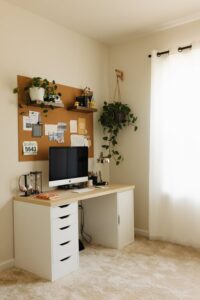

Creating a productive home workspace is essential in today’s world, where many people work remotely or spend significant time on home projects. A well-organized workspace not only helps you stay focused but also reduces stress and improves your efficiency. Whether you have a dedicated room or just a corner of your living space, here are some useful tips to set up and maintain a productive home workspace.
Why Organizing Your Workspace Matters
An organized workspace promotes clarity and focus. When everything has its place, you waste less time searching for supplies and can shift your full attention to your tasks. Plus, a tidy environment naturally encourages a positive mindset and motivation.
Choosing the Right Location
Consider Natural Light and Quiet
Pick a spot in your home that receives plenty of natural light — this can help reduce eye strain and boost mood. Also, think about noise levels. If possible, choose a quieter area away from high-traffic zones, so you’re less likely to be distracted.
Space and Ergonomics
Ensure the area has enough space for your desk, chair, and any necessary equipment while allowing comfortable movement. A good chair and proper desk height are essential for maintaining good posture and avoiding discomfort during long work sessions.
Setting Up Your Desk
Keep It Simple
A clutter-free desk helps keep your mind clear. Limit your desktop items to essentials such as your computer, a notepad, and basic stationery. Additional items, like snacks or unrelated gadgets, can create distractions.
Organize with Storage Solutions
Use organizers, trays, or drawers to keep papers, pens, and cables neat and out of sight. Labeling storage can also make finding things faster and keep your space orderly.
Technology and Equipment
Invest in Quality Tools
Reliable technology – such as a fast computer, clear webcam, and good microphone – supports smooth remote work or virtual meetings. Consider headphones or noise-canceling options to improve focus.
Cable Management
Tidy cables improve safety and appearance. Use clips, ties, or sleeves to bundle cords together and prevent tangles.
Personalizing Your Space
Adding a few personal touches, like photos, plants, or artwork, can make your workspace more inviting and inspiring. Just be careful not to overcrowd and keep these items minimal to avoid distraction.
Establishing a Routine and Boundaries
Define Your Work Hours
Set clear start and end times for your workday to maintain work-life balance. Communicate these boundaries to family or housemates to minimize interruptions.
Use Time Management Techniques
Techniques like the Pomodoro method (25 minutes of focused work followed by a 5-minute break) can help maintain concentration and prevent burnout.
Daily Maintenance Habits
Spend a few minutes at the end of each day tidying your workspace. Put away materials, clear your desk, and prepare your space for the next day to start fresh and stress-free.
Additional Tips for Productivity
– Prioritize Tasks: Keep a to-do list visible to track important tasks.
– Minimize Distractions: Turn off unnecessary notifications and limit social media use during work hours.
– Stay Hydrated and Take Breaks: Regular breaks and drinking water help maintain energy and cognitive function.
—
By thoughtfully organizing your home workspace and following simple habits, you can create an environment that supports concentration and productivity. Remember, the goal is to make your space functional and comfortable, tailored to your unique work style. With these tips, you’re well on your way to a more productive day from home.